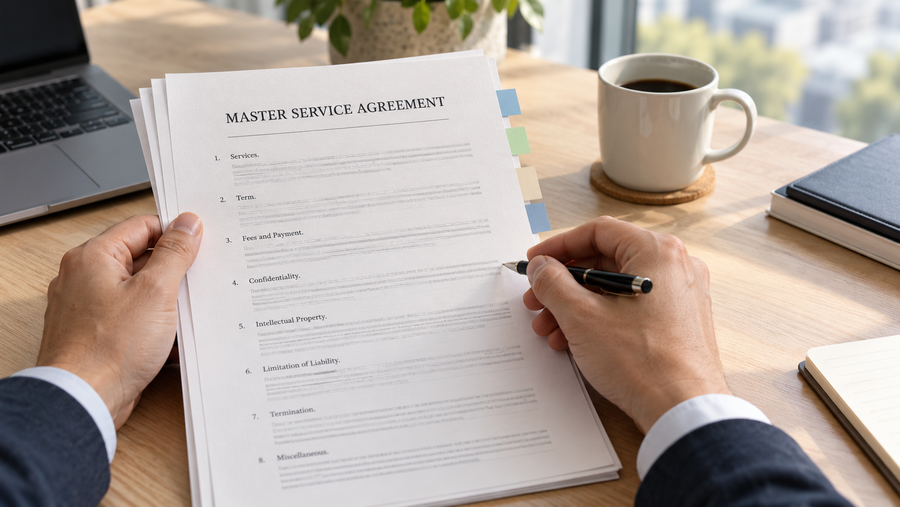
An AI employee is a software-based digital worker designed to carry out an ongoing role rather than answer a single prompt. In a legal team, it can follow matters over time, use relevant documents and client context, take approved actions across connected tools, and bring exceptions or high-stakes decisions to a lawyer.
The word "employee" describes how the system participates in work—not its legal status. An AI employee is not a person, does not hold professional responsibility, and should not make unrestricted decisions. It operates within permissions, policies, review requirements, and accountability structures set by the organization that uses it.
In short: A chatbot responds, a copilot assists, and an AI employee takes continuing responsibility for a defined area of work—while people retain authority over consequential decisions.
What Makes an AI Employee Useful to Legal Teams?
Many AI products can draft text, summarize a document, or complete a task after receiving a prompt. An AI employee goes further by maintaining a role over time.
For example, a one-off AI tool may summarize a contract when someone uploads it. An AI employee for legal work can follow the matter as it changes: compare a new draft with the previous version, check it against client instructions and approved positions, identify material changes, prepare proposed revisions, and send unresolved questions to the responsible lawyer.
Six characteristics distinguish an AI employee from a one-time AI interaction:
A defined role: It has a continuing responsibility, such as supporting contract review, preparing client follow-ups, or monitoring matter updates.
Persistent context: It keeps relevant history, decisions, documents, and feedback connected instead of starting from zero each time.
Proactive triggers: It can respond when a new draft, email, meeting outcome, deadline, or system event changes the work.
Tool access: It can retrieve information and take permitted actions in the applications where work already happens.
Governed autonomy: It works within explicit permissions, approval gates, and escalation rules.
Learning from review: It uses approved corrections and decisions to improve similar work in the future.
These features shift AI from a tool that produces isolated outputs to a digital teammate that helps move work toward a verified result.
AI Employee vs. Chatbot, Copilot, RPA, and AI Agent
The terms used for workplace AI often overlap. The clearest way to distinguish them is by the responsibility each system carries.
Quick Comparison of Workplace AI Tools
How AI employees differ from chatbots, copilots, RPA, and AI agents.
| Comparison | Primary role |
|---|---|
| Chatbot | Answers questions or responds to messages |
| Copilot | Assists a person who remains in control of each task |
| Robotic process automation (RPA) | Repeats predefined steps for structured, predictable inputs |
| AI agent | Reasons and acts to complete a task or limited objective |
| AI employee | Maintains an ongoing role, carries context across work, and supports recurring outcomes within human-set boundaries |
The categories are not mutually exclusive. An AI employee may use agents to perform individual tasks, RPA to complete predictable steps, and a conversational interface to work with people. What makes it employee-like is not a particular model or interface; it is the combination of continuing responsibility, context, action, governance, and accountability.
How Does an AI Employee Work in a Legal Team?
An AI employee operates through a cycle of understanding, deciding, acting, checking, and learning.
1. It receives a goal and operating boundaries
A human process owner defines the role, desired outcomes, approved sources, working methods, permissions, review requirements, and conditions that require escalation. For legal work, these boundaries may include matter-specific facts, client instructions, firm playbooks, approved clauses, confidentiality requirements, and lawyer approval before any external communication.
2. It gathers the relevant context
The system retrieves the information needed for the current situation. That context may include documents, emails, meeting notes, earlier versions, project history, deadlines, internal policies, and previous decisions.
Context is especially important in contract review. A clause cannot always be evaluated in isolation. The reviewer may need to know what the client asked for, what the counterparty changed, which exceptions were approved, and how the current draft differs from the last accepted position.
3. It plans and performs approved work
The AI employee breaks an objective into steps and uses connected tools to complete them. Depending on its role, it may compare files, summarize changes, update records, prepare a draft, identify missing information, or assemble the next action for a person to review.
4. It verifies the result
Completing an action is not the same as achieving an outcome. A well-designed AI employee checks whether the expected change occurred, records the sources it used, and keeps a traceable history of its work.
5. It escalates when human judgment is required
The system should stop and involve a person when a matter falls outside policy, confidence is low, facts conflict, permission is missing, or the decision carries material legal or business consequences.
6. It learns from approved feedback
When a person accepts, revises, or rejects the work, that feedback can refine how similar situations are handled. The objective is not uncontrolled self-modification. It is supervised improvement based on decisions the organization has reviewed and approved.
What Can an AI Employee Do in Legal Work?
Legal work combines repeatable processes with context-dependent judgment. That makes it a strong use case for an AI employee—as long as the system supports lawyers rather than claiming to replace their professional responsibility.
Legal Workflows an AI Employee Can Support
Examples of how AI employees can assist legal teams while lawyers retain control over professional decisions.
| Comparison | How an AI employee can support it |
|---|---|
| Contract review | Compare terms with matter facts, client instructions, playbooks, and prior positions; surface risks and prepare suggested revisions for lawyer review |
| Version comparison | Identify changes to rights, obligations, scope, pricing, liability, and other material terms across drafts |
| Contract drafting | Prepare a working draft using approved templates, clause libraries, deal terms, and lawyer-defined standards |
| Matter follow-up | Track open questions, decisions, owners, deadlines, and changes across documents, meetings, projects, and email |
| Client communication | Draft updates and replies using the current matter context, subject to professional review and approval |
| Negotiation preparation | Bring together the latest draft, negotiation history, client priorities, unresolved issues, and supporting sources |
Consider a distribution agreement in which the client wants to preserve direct online sales. A new draft removes that exception and grants the distributor exclusivity across all sales channels. A basic summarizer may describe the revised clause. An AI employee can connect the clause to the earlier draft and the client's instruction, explain the conflict, prepare a proposed carveout, and ask the lawyer whether to restore it.
That is the difference between processing a document and supporting the work around the document.
Benefits of an AI Employee
More continuity across fragmented work
Important context is often split across email, meetings, documents, task systems, and individual memory. An AI employee can connect these sources so that a new task starts with the history needed to handle it responsibly.
Faster preparation without skipping review
The system can gather sources, compare versions, organize issues, and prepare working drafts before a professional begins final review. This reduces time spent reconstructing context while preserving human control over the decision.
More consistent execution
A defined role can apply the same approved standards across recurring work. In contract review, that may mean consistently checking new drafts against the correct client position, review playbook, and prior decisions.
Better visibility into progress and exceptions
An AI employee can track what changed, what remains unresolved, who owns the next decision, and which cases require attention. This is more useful than producing another standalone summary that a person must manually turn into action.
Compounding organizational knowledge
Reviewed decisions can become reusable context for future work. Over time, the system can better reflect how a team evaluates issues, communicates with clients, and distinguishes routine matters from meaningful exceptions.
What an AI Employee Should Not Do
An AI employee should not operate without boundaries. It should not be given unrestricted access, allowed to hide its sources, or treated as the final authority for high-stakes professional decisions.
For legal work, responsible deployment should include:
-Clearly scoped permissions and approved data sources;
-Human approval for legal advice, material revisions, filings, or external communications;
-Protection for confidential and privileged information;
-Traceable sources, actions, and decision history;
-Defined escalation rules for uncertainty, conflicts, and exceptions;
-Regular review of accuracy, security, performance, and business impact.
The NIST AI Risk Management Framework provides a useful structure for governing AI systems through its Govern, Map, Measure, and Manage functions. For lawyers using generative AI, the American Bar Association's Formal Opinion 512 also highlights duties involving competence, confidentiality, communication, supervision, candor, and reasonable fees.
An AI teammate can help perform work, but responsibility remains with the people and organizations that design, authorize, supervise, and rely on it.
How Alloomi Approaches the AI Employee
Alloomi helps professionals and teams turn their expertise, working methods, and proprietary knowledge into evolving AI employees.
Instead of treating each prompt as an isolated request, Alloomi keeps documents, communications, decisions, project history, and feedback connected. It follows changes across work, prepares the next step, and learns from what professionals approve or revise.
For legal work, that means an AI employee can support contract review and drafting with the surrounding matter context intact. It can compare versions, identify changes to rights and obligations, check language against client instructions and lawyer-approved standards, explain why an issue matters, and prepare revisions for human review.
The professional remains the decision-maker. The AI employee helps ensure that the relevant facts, history, and working standards are present when that decision is made.
How to Choose a First AI Employee Use Case
The best first role is usually narrow enough to govern but valuable enough to measure. Look for work that:
-Recurs frequently;
-Requires context from several sources;
-Follows recognizable standards but includes manageable exceptions;
-Produces an outcome a person can verify;
-Has a clear human owner;
-Can begin with limited permissions and approval gates.
Contract review is a strong example because teams already understand the outcome, source materials, review standards, and points that require lawyer judgment. A focused first role—such as comparing incoming drafts with approved positions—can be tested and supervised before access or responsibility expands.
Frequently Asked Questions
Is an AI employee a real employee?
No. "AI employee" is an operating term for software that performs an ongoing role. It does not mean the system is a person or has an employment relationship, professional license, independent legal responsibility, or unrestricted decision-making authority.
Is an AI employee the same as an AI agent?
Not exactly. An AI agent generally completes a task or pursues an objective. An AI employee combines agentic capabilities with a continuing role, persistent context, access to work systems, defined authority, human escalation, and responsibility for recurring outcomes.
Can an AI employee review contracts?
An AI employee can compare drafts, identify changed terms, connect clauses to matter facts and approved positions, surface potential risks, and prepare suggested revisions. A qualified professional should review the sources, reasoning, legal implications, and proposed changes before relying on the result.
Can an AI employee replace a lawyer?
No. An AI employee can support legal workflows, but it cannot replace professional judgment, ethical responsibility, client accountability, or jurisdiction-specific legal advice. Lawyers remain responsible for supervising technology and making consequential legal decisions.
Does an AI employee need access to company systems?
Usually, yes—but only to the systems and data required for its role. Access should follow least-privilege principles, with clear permissions, auditability, security controls, and human approval for sensitive actions.
How does an AI employee improve over time?
It improves through supervised feedback. When authorized people approve, revise, or reject its work, those decisions can refine the context and standards used in similar future cases. Improvement should remain reviewable and under organizational control.
Final Takeaway
An AI employee is not defined by a human name, avatar, or chat interface. It is defined by the way it works: it holds a continuing role, maintains relevant context, acts through connected tools, follows governance rules, escalates decisions, and learns from approved feedback.
For professional teams, the opportunity is not simply to automate more tasks. It is to preserve the expertise, context, and working methods that make good decisions possible—and bring them into every recurring workflow. In legal work, that can mean faster contract preparation and review without separating the document from the client instructions, negotiation history, and professional judgment that give it meaning.