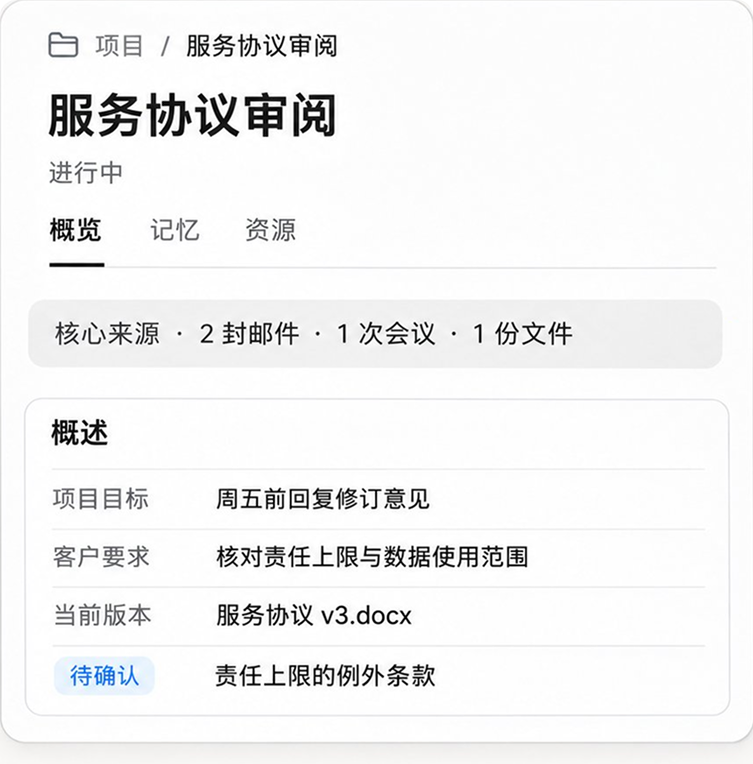



Define the question from the facts
Clarify the deal objectives, governing jurisdictions, known facts, and deliverables. Identify what needs confirmation before deciding what to research and what can be drafted from existing materials.
Connect the apps and project files you already use. Alloomi surfaces decisions waiting for you and handles routine work with your approval, so you can focus on review, judgment, and what comes next.
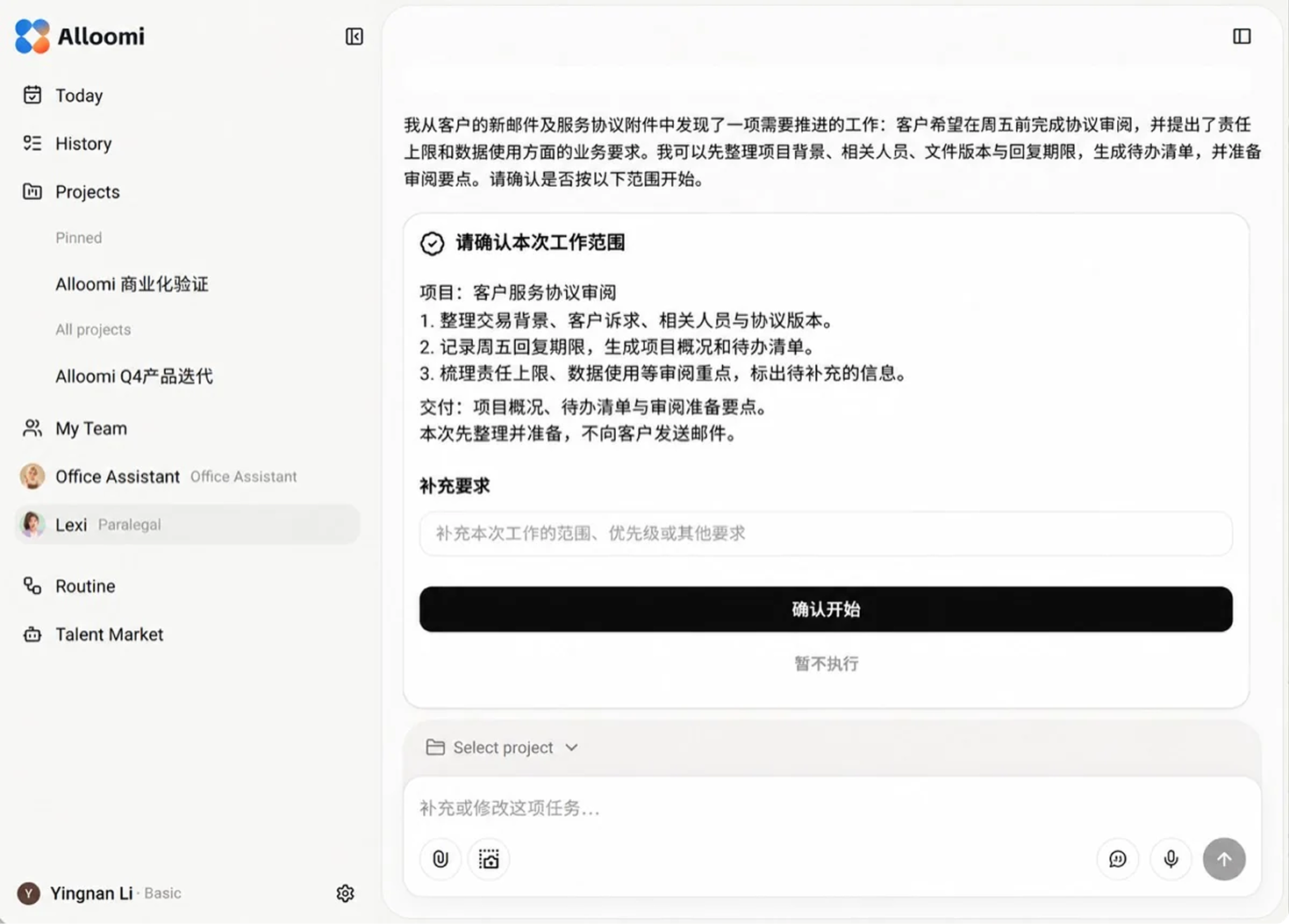
When a client sends a service agreement, Alloomi brings deliverables, the current version, response deadlines, and open questions into one project brief. Emails and attachments become a sourced action list with a clear scope you can confirm—without another round of digging through threads and files.
Identify liability caps, data-use requirements, and delivery dates that need review. Every action includes its source and rationale, with a path back to the original email or attachment.
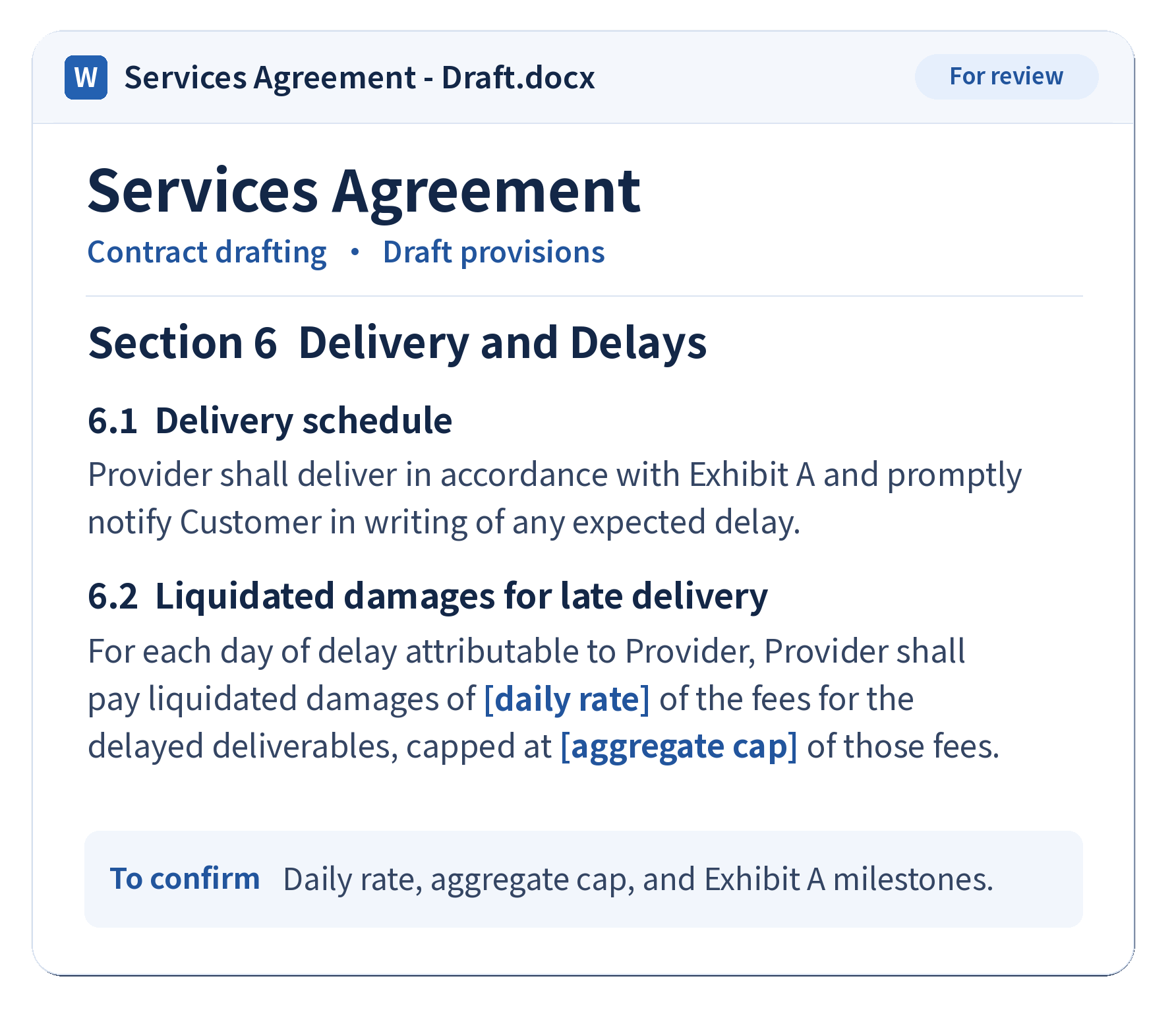
Get a Word draft with the reasoning behind each proposed change, ready for you to keep editing. Alloomi combines client requirements, negotiation history, and validated review practices to show what to hold firm on, what is negotiable, and what you can accept—so your review time goes to the issues that matter most to the deal.
Clarify the deal objectives, governing jurisdictions, known facts, and deliverables. Identify what needs confirmation before deciding what to research and what can be drafted from existing materials.
Find statutes, regulatory materials, and decisions for each issue. Check the original text, whether citations support the conclusion, and their version and currency. Resolve conflicts or gaps and flag what remains unverified.
Memos set out conclusions, authority, risks, and options. Drafts translate confirmed requirements into specific paragraphs and keep unresolved questions in context so you can keep editing and reviewing.
Recommendations adapt to the commercial purpose, each party’s position, and the conversation so far. As the client adds requirements or accepts a concession, the review updates without losing sight of the deal’s objectives.
Compare deliverables, deadlines, quantities, and acceptance terms with the project’s actual conditions. Surface operational difficulties and potential consequences, along with facts that still need client confirmation.
See how relevant clauses and project materials support each recommendation, grounded in known facts and client goals. Review assumptions, open questions, and proposed next steps item by item.
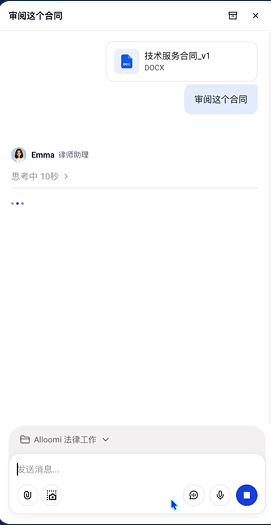
Start with what the client needs to accomplish, then clarify the facts, applicable conditions, and questions to answer. When research is required, Alloomi searches and verifies authority by issue before turning the analysis into a reviewable memo. For drafting or revision, confirmed judgments, client requirements, and templates flow into clauses, attachments, and change notes.
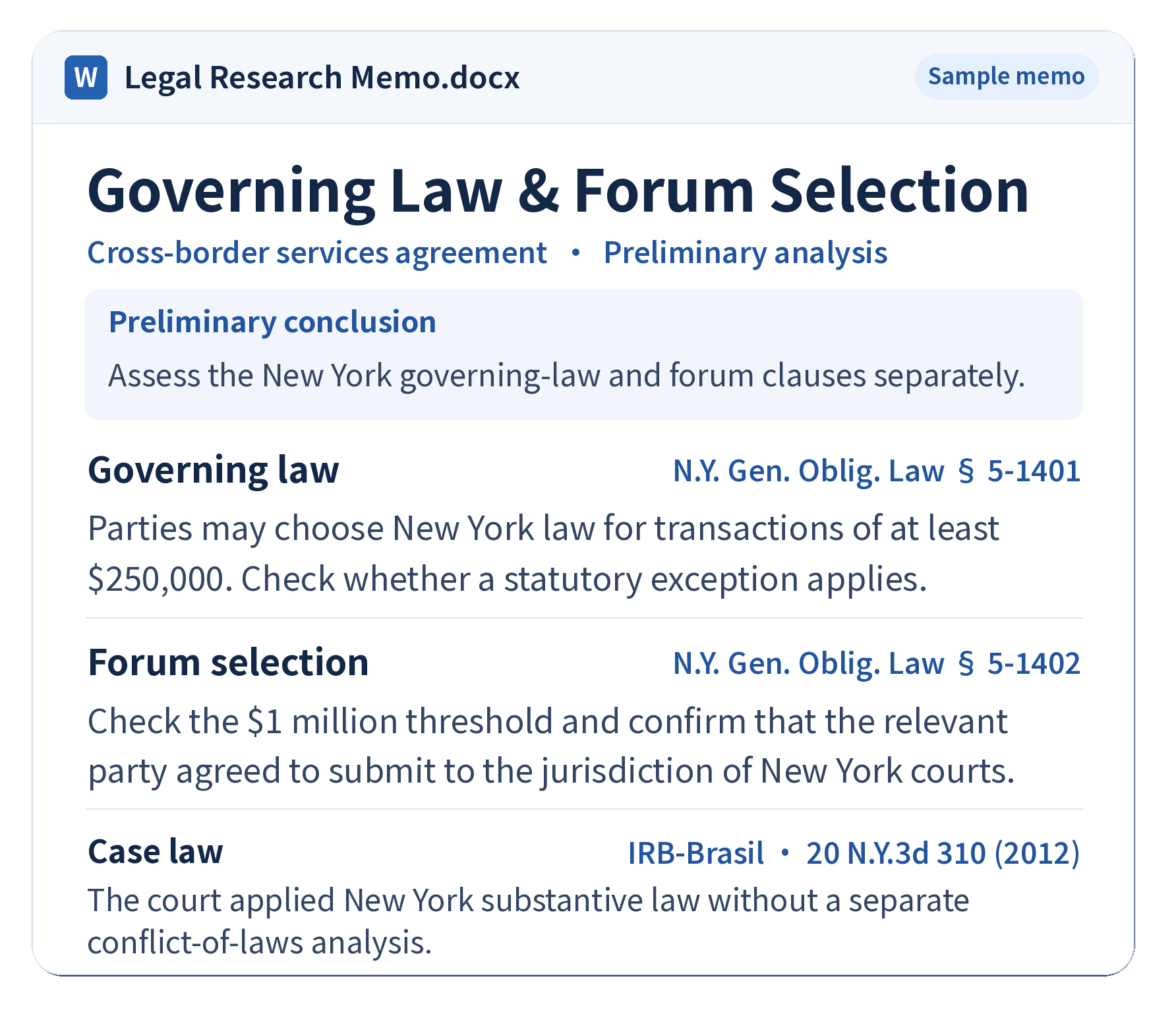
Memos set out conclusions, authority, risks, and options. Drafts translate confirmed requirements into specific passages and leave unresolved questions in context for further editing and review.
Search relevant statutes, regulatory materials, and cases by issue. Check the original text, whether each citation supports the conclusion, and its version and currency. Investigate conflicts or weak evidence and mark what remains unverified.
Clarify the transaction goal, applicable jurisdictions, known facts, and deliverable requirements. Identify missing conditions first, then decide what needs research and what existing materials can already support.
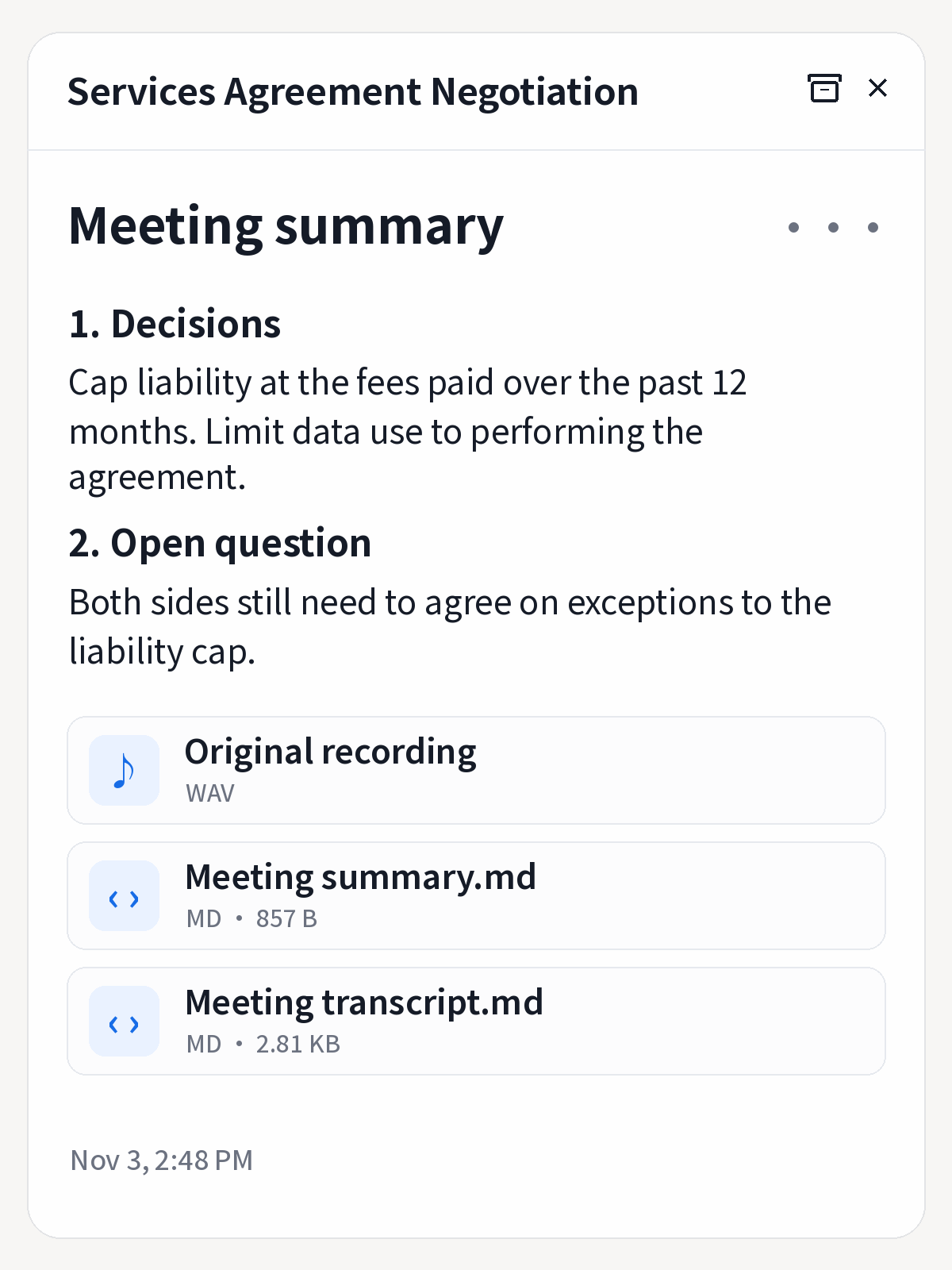
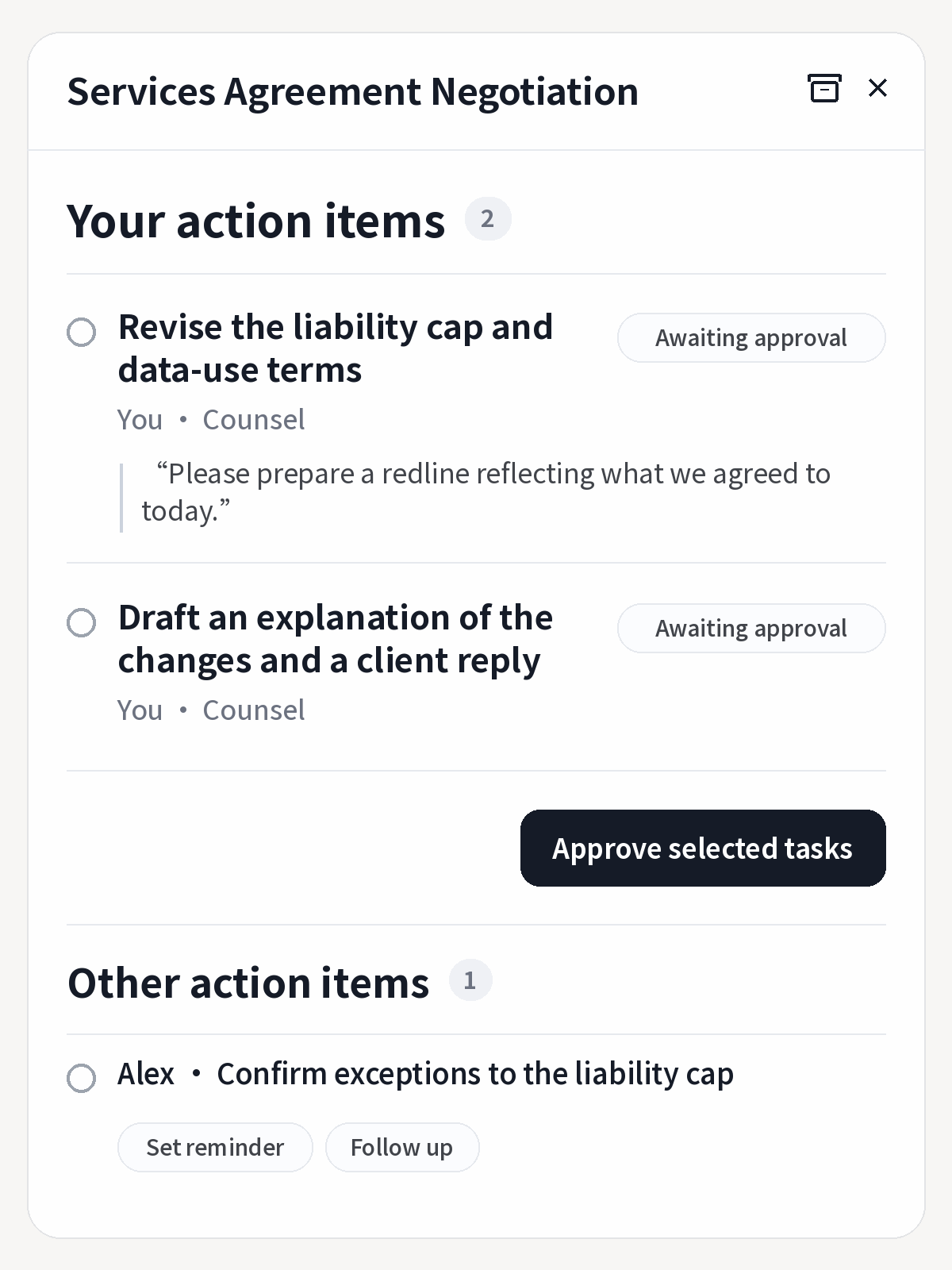
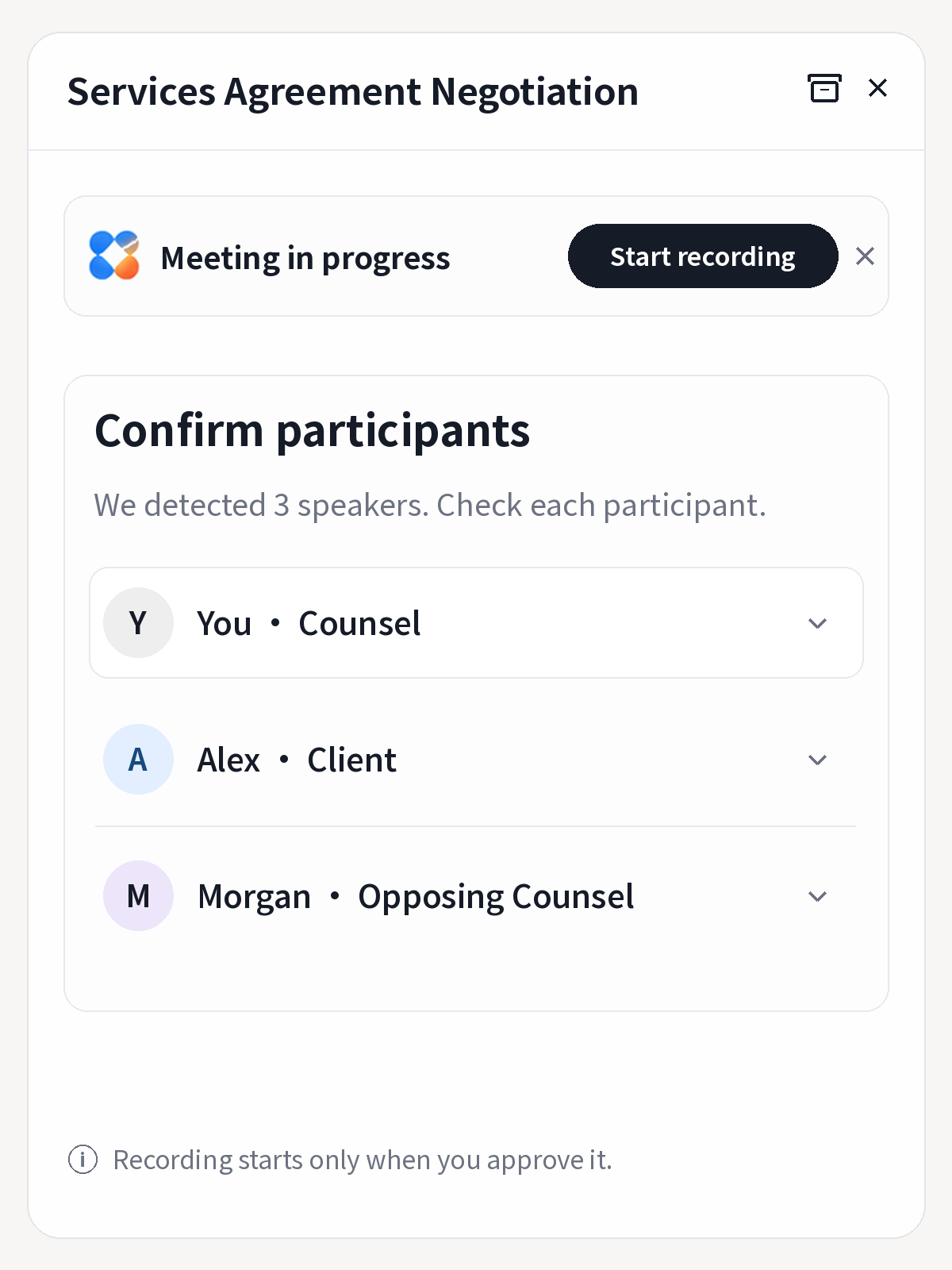
Leave with a verifiable summary and the actions assigned to you—no replaying recordings or manually distributing tasks. In a service-agreement call, for example, the client may confirm that data is used only to perform the contract while exceptions to the liability cap remain open. Alloomi separates confirmed decisions from open actions and prepares revisions or replies only with your approval.
Recommendations adapt to the commercial purpose, each party’s position, and the conversation so far. As the client adds requirements or accepts a concession, the review updates without losing sight of the deal’s objectives.
Compare deliverables, deadlines, quantities, and acceptance terms with the project’s actual conditions. Surface operational difficulties and potential consequences, along with facts that still need client confirmation.
See how relevant clauses and project materials support each recommendation, grounded in known facts and client goals. Review assumptions, open questions, and proposed next steps item by item.
When a new draft or response arrives, see which prior decisions it affects and what needs attention next. If the other party accepts the service agreement’s liability cap but adds a data-use exception, Alloomi compares it with the confirmed usage restrictions and highlights what needs renewed confirmation.
Link new client requirements, negotiation feedback, or drafts while retaining sources and versions.
Show how new exceptions differ from prior decisions, then update open questions and deadlines.
Explain what needs attention and why, then wait for you to confirm the scope of this round.
Prepare the next revision or reply for your review, then bring the outcome back into the project.
Retain facts, decisions, versions, deadlines, and unfinished work. When new information arrives, find the affected tasks and reduce omissions and repeated briefing.
Distill experience from your edits, judgments, and outcome feedback. Validate it before using it to improve future work while retaining the boundaries of each client and project.
Across the task layer, the Harness execution framework, and the model layer, project facts help Alloomi understand the work at hand. Validated actions and feedback improve its working methods, preferences, and professional capabilities.
Bring emails, meetings, and files for a client or matter into a timeline-based project record. Connect people, documents, and events, and retain how facts change so later rounds can tell what remains valid.
Record actions, tool results, authorization scopes, and state changes, then distill reusable rules into Skills and the execution framework. Diagnose issues, trace causes, and repair workflows from discovery through delivery.
The design uses user-level Engram X for stable facts and preferences, with LoRA adapting professional methods. Curated, high-quality work trajectories can support asynchronous post-training through SFT demonstrations and DPO preference optimization.
Curate and attribute data before learning, use business evaluations during the process, and compare against the same benchmark afterward. Discard or roll back regressions instead of entrenching incorrect feedback.
Technical noteProject memory, Skill updates, and asynchronous model post-training are separate architectural layers. Model capabilities and data handling depend on the deployed version and authorized configuration.